MediaStack
A menu-driven installer that turns a bare Debian server into a secure home media stack, then manages it day to day.
I have run a self-hosted media stack at home for years, and friends and family have asked for help with one or wanted one of their own. Setting one up by hand means a Compose file, half a dozen services, and the API keys that connect them. Then the user needs enough explanation to look after it. MediaStack is my answer: a home media server that is practical to install and to look after, built from what running my own has taught me.
MediaStack turns a bare Debian 12 or 13 server into a complete media stack from one menu. It starts up to 20 containers and configures each service through its own API, so the services already know about each other when setup exits. The same menu runs the server afterwards. The services are upstream projects; MediaStack is the installer, the configuration that links them, the management menu, the recovery, and the host integration around them. The stack is opinionated: one set of services, one data layout, and security that is on by default.
The media services






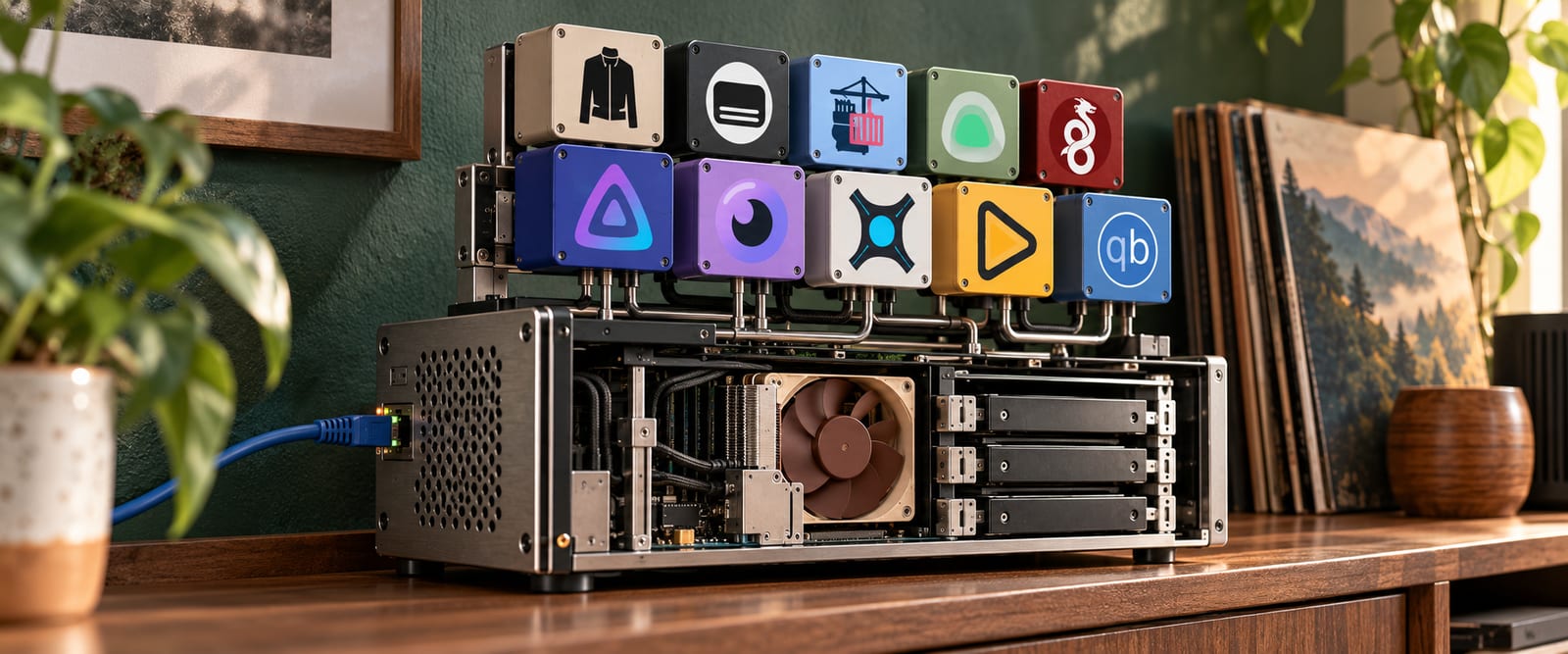
Jellyfin plays the films and shows in the library. Seerr takes requests from the household. Sonarr and Radarr manage the shows and films, Jackett searches the indexers, qBittorrent downloads, and Unpackerr unpacks. Around them sit a dashboard, monitoring, container management and, if enabled, subtitles.
When someone requests a film in Seerr, Radarr searches the indexers through Jackett, hands the result to qBittorrent, and files the finished download into the library, where Jellyfin finds it on its next scan.
The wizard offers a list of public indexers I have selected and adds them only if the user opts in. The user can change the list or add other indexers, including private ones, after installation.
The dashboard
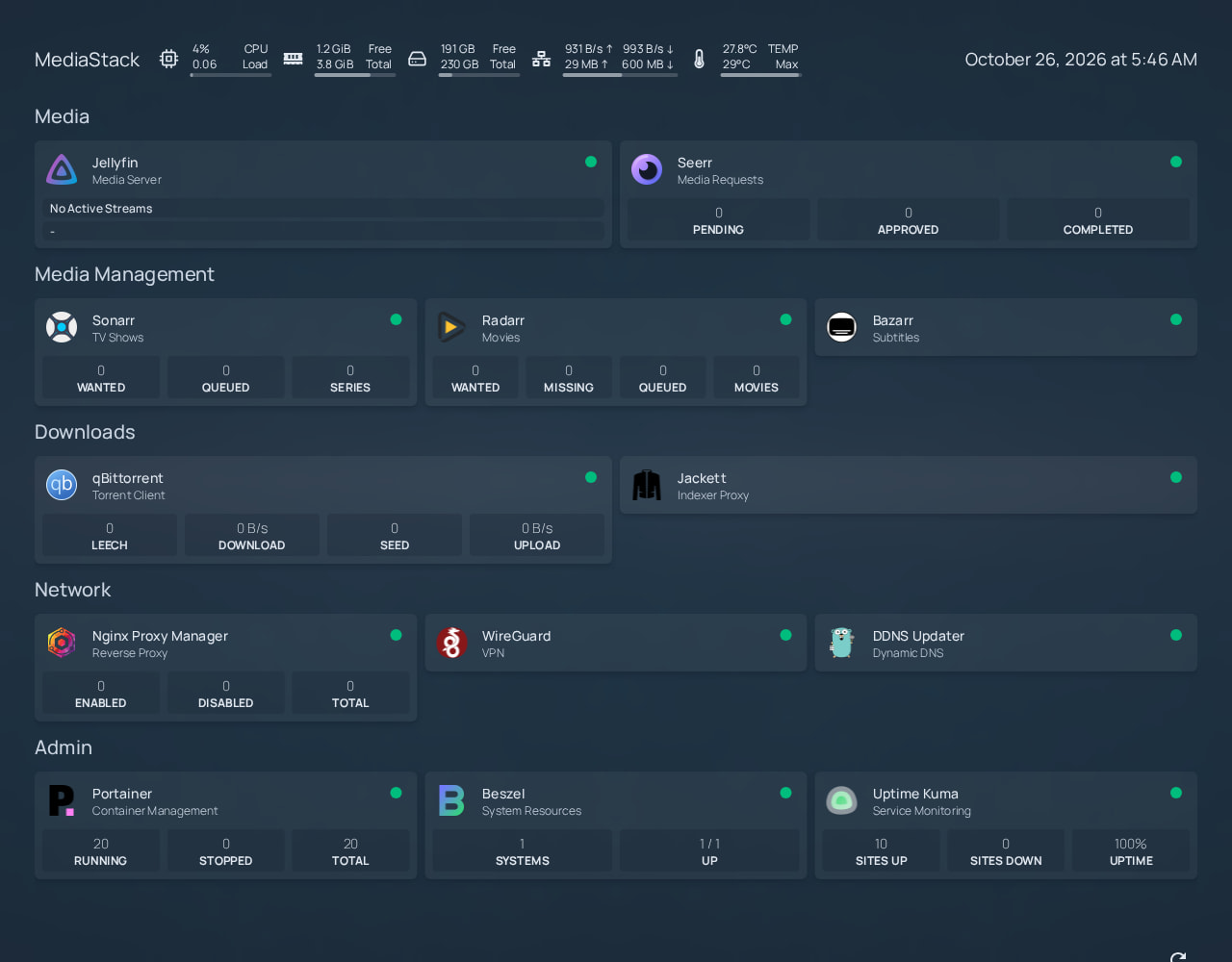
Homepage is the main dashboard, giving the user one place to open the services’ web interfaces without keeping track of separate addresses. It also shows which services are up, request and download activity, and the server’s resource use. MediaStack generates the service links and configures the API widgets during setup.
Installing
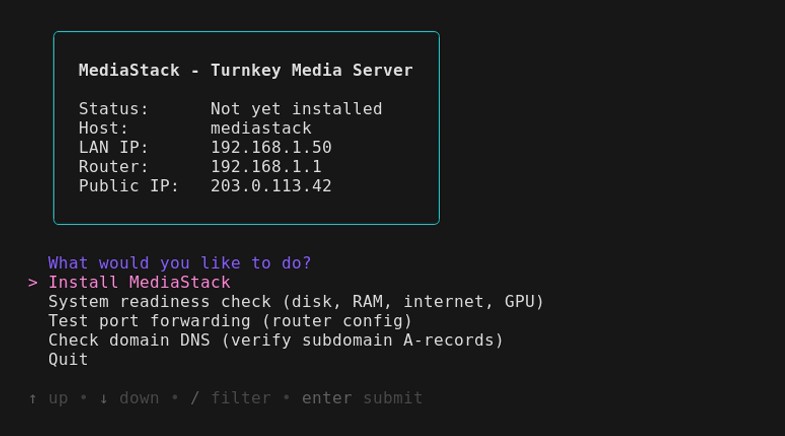
Clone the repository and run the installer:
git clone https://github.com/famesjranko/MediaStack.git MediaStack
cd MediaStack
./mediastack
The wizard builds the LAN stack first, then offers hardware transcoding if there is a GPU, then remote access. The user can skip both and add them from the menu later.
Images come from the Stable channel by default: the exact set the project last tested together. MediaStack configures every service through its API, so an upstream change to an endpoint or schema can break setup. Stable therefore installs only images that have passed MediaStack’s API integration tests. Latest, which pulls whatever upstream published most recently, is the advanced choice.
Sonarr and Radarr have many quality settings, but the wizard asks two questions: how sharp (720p or 1080p) and how large (compact, balanced or large). The answers select a named profile such as “1080p Balanced”. Every profile excludes Remux releases, which can reach 40 GB for one film.
Running it afterwards
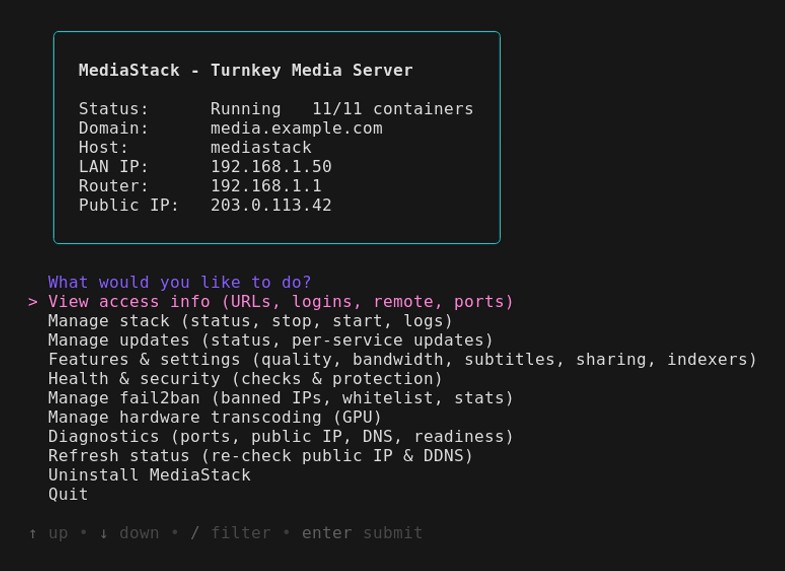
After install, ./mediastack opens the management menu. Its entries are the jobs a user would otherwise ask me about, so it is the part of MediaStack I care about most.
The user updates individual services or the whole stack from the menu, rather than through an auto-updater. When an update breaks a service, the user needs a way back. Before updating a service’s image, MediaStack saves a restore point of the service’s configuration while the old container is stopped. This avoids copying a running database. Revert puts back the old image and that configuration, then checks that the service is healthy and that MediaStack can still log in to it.
Uninstall removes the containers and only the host changes MediaStack recorded in its root-owned ledger. The media stays, and so does Docker.
How the stack fits together
The drawing below is one install with remote access enabled, seen from the network: what the internet can reach, what stays private, and the one filesystem underneath. It shows the system MediaStack deploys, not the installer itself. The sections that follow explain the decisions in it.
Remote access
Remote access publishes only Jellyfin and Seerr, over HTTPS behind Nginx Proxy Manager with Let’s Encrypt certificates. Every admin page stays on the LAN and the WireGuard VPN, and per-client firewall rules limit what each VPN device can reach: the whole LAN, the server, the containers, or just Jellyfin, with or without Seerr, for a relative’s TV.
Security defaults
The wizard defaults to the UFW firewall, the admin-port filter and system hardening. UFW denies incoming traffic except the ports the stack needs. Hardening limits automatic updates to security fixes and tightens the kernel’s network settings. Every container runs with no-new-privileges, the linuxserver images run their services as the user who ran the install, and the secrets file is readable only by that user.
By default, when a container publishes a port, Docker opens it on every interface and bypasses the host firewall, so one forwarded port can expose an admin page by accident. MediaStack’s own chain in DOCKER-USER closes that gap and keeps the admin pages off the public internet. The filter is on by default and can be switched off; while it is on, a failure to apply it stops Docker from starting.
Access to Docker itself is limited too. Only Portainer and a proxy mount the Docker socket. Portainer needs it to manage the containers; monitoring and automatic recovery go through the proxy’s short allowed list, which refuses inspect because inspecting a container exposes its environment, and the environment holds the secrets. fail2ban bans an address after repeated failed logins to the published pages.
Storage and the NAS watchdog
Storage follows the TRaSH Guides layout: downloads and media share one filesystem, so a finished download is hardlinked into the library. The file exists once on disk, and deleting the torrent leaves the library alone. The wizard offers a local disk, a NAS over NFS, or a manual mode for users who wire the apps’ paths themselves.
A NAS needs more care, because a network share can disappear while the server keeps running. An empty mount point is still an ordinary directory, so a container that writes into it fills the local disk instead, and a plain existence check never notices. MediaStack therefore tests the export before anything depends on it, records the mount’s source and type, and writes a sentinel file inside the share. Every later start checks the live mount against those records.
MediaStack disables Docker’s automatic restart for the services that touch media. A watchdog, on by default for NAS installs and switchable from the menu, starts them only after the mount has passed its checks for a full minute and stops them when the share goes away. Each check has a time limit, because a hung NFS mount blocks any process that touches it. Remounting goes through a small root-owned helper that handles only the recorded export, so nothing in the repository checkout runs as root.
Hardware transcoding
When a phone or TV cannot play a file as it is, Jellyfin converts it on the fly, and a GPU does this far faster than a CPU. MediaStack detects the card in its readiness check and offers hardware transcoding once the LAN stack is up. Intel and AMD need only the video acceleration packages and access to the render device. For NVIDIA it picks the driver branch for the card from NVIDIA’s support table and offers two installs: Debian’s packaged driver, or NVIDIA’s own with an opt-in patch that lifts the session limit on consumer cards. A server that already has a driver can keep it. The install includes the reboot past the open-source driver, and setup resumes on the other side.
Jellyfin is then configured from what the card can actually do. An H.264 test encode runs inside the Jellyfin container, and HEVC and AV1 encoding and hardware decoding for each codec are switched on in Jellyfin only when their own test passes. Those tests showed me that the decoder on a Tesla P4 can hang and ignore the usual stop signal, so each decode test has a time limit inside the container and another on the host.
Testing it
The test suite uses Docker-in-Docker to keep the test machine clean. Half the scenarios drive the real wizard prompts through a pseudo-terminal. Contract files declare every endpoint MediaStack calls on each service. A mock server uses those files to answer requests, so the configure script runs against a fake stack on every pull request without pulling an image. The NAS scenarios run a real NFS server and restart it to test the watchdog.
Beyond the suite, I test installations on Google Cloud VMs, bare metal and Proxmox VMs to cover real DNS, certificates, firewalls and GPU passthrough.
Weekly jobs check whether upstream tags point at new images, rerun the installs against those images, and open a pull request to update the image lock file. The workflow never merges it. That decision stays with me.
The source is public under the PolyForm Noncommercial licence.